

Gate Opener Beep Codes: What Each Beep Means, by Brand and Board
Decode the beeps from Mighty Mule, LiftMaster, Ghost Controls, USAutomatic, Linear, ALEKO and Apollo gate openers. Each pattern below comes from the manufacturer's own manual, together with one safe check and a clear sign of when to stop and call a technician.
 A LiftMaster board showing a display code
Find Your Beep Code in Three Taps
Gate openers do not share a beep language. For example, 5 beeps means low battery on one Mighty Mule board and a stuck limit on another. So the decoder asks for your board first, and then it shows only the patterns that board can make.
Every answer is tagged:Normal expected signalSafe check you can check itTech needed call a technician
The brand name is printed on the opener arm or the control box lid.
What a Gate Opener Beep Code Is
A gate opener beep code is a sound pattern the control board plays to report its status. Specifically, the number of beeps, the pause between groups and when the beeping starts together point to one cause, such as a low battery, an obstruction alarm, a disconnected arm or a short circuit.
Because every manufacturer, and often every board generation, uses its own patterns, a chart for one opener can send you in the wrong direction on another. That is why this guide is organized by brand and then by board. We rebuilt it in October 2026 after checking each row against the manufacturer's installation manual, and we also removed patterns that we could not verify.
Meanwhile, if your opener has a display, the display code is more precise than the beeps. In that case, read the code first.


How to Read a Gate Opener Beep Pattern
First, notice when the beeping happens. Beeps at power up, while you program a remote, or just before the gate moves are usually normal. By contrast, beeps that start after the gate stops, or that repeat while the gate sits still, are the ones that report a problem.
Four steps to decode any pattern
- Note the moment. Write down whether the beeping started at power up, after a remote press, during movement, or after the gate stopped.
- Count one group. Then count the beeps in a single group and time the pause before it repeats.
- Find the board. After that, read the model label on the arm or control box, because the board decides what the pattern means.
- Match and act. Finally, match the pattern below and follow the safe check. If the row says to call a technician, switch the power off and stop cycling the gate.
On most openers, a continuous alarm after the gate hits something twice in a row is the UL 325 entrapment alarm. It usually runs for up to 5 minutes, and remotes will not clear it. So clear the path first, then reset with the reset button, a hard-wired control or the power switch, as your manual describes.
Mighty Mule Beep Codes
Also, our Mighty Mule troubleshooting guide covers remotes, limits and battery care for the current MM271, MM272, MM371W and MM571W openers. Mighty Mule slide openers, such as the GPX-SL25 and MM-SL2000B, report faults with LEDs rather than a beep table.
MM271 / MM272 (current)
Also matches the older MM260 board.
| Beep or sound | What it means | What to do | Level |
|---|---|---|---|
| Beeps right after you switch the power on | Normal power-up self check. | Nothing to do. In fact, this is the board confirming it started. | Normal |
| Rapid beeping | No battery connected, an obstruction, or a blown harness fuse. | First check that the battery is connected, then check the harness fuse and clear the swing path. | Safe check |
| 1 beep every 20 seconds | Low battery. | Charge or replace the battery, and also check the transformer or solar panel that keeps it charged. | Safe check |
| 1 beep every 2 seconds | Position sensor open circuit. | Look for a loose or damaged arm cable. If the cable is fine, the sensor circuit needs a technician. | Tech needed |
| 2 beeps every 2 seconds | Position sensor short circuit. | Turn the power switch off and arrange service, because a shorted sensor circuit needs testing with a meter. | Tech needed |
| 1 beep when you try to run the gate | Blown fuse, low battery or a loose connection. | Check the harness fuse, the battery voltage and the battery terminals. | Safe check |
| Continuous alarm after the gate hits something twice | Entrapment alarm. The opener locks out for 5 minutes, or until a hard-wired control or the power switch resets it. Remotes will not clear it. | Clear the path first, then reset with the power switch or a hard-wired control. | Safe check |
Source: MM271 manual 10021847 Rev-F p.27; MM272 manual 10022113 Rev-D p.37.
MM371W / MM372W / MM571W / MM572W: alarms and battery
Patterns are written as beep groups, so 2, 2 means two beeps, a pause, then two beeps again.
| Beep or sound | What it means | What to do | Level |
|---|---|---|---|
| Continuous alarm | Obstruction detected, or the arm did not move when commanded. | Clear the path and make sure the gate swings freely by hand with the opener released. | Safe check |
| 1 beep every 10 seconds | Low battery. | Charge or replace the battery, and also check the charging source. | Safe check |
| 2 beeps every 10 seconds | Motor fault. | Arrange service, because the motor circuit needs testing. | Tech needed |
MM371W to MM572W: arm, motor and programming patterns
| Beep or sound | What it means | What to do | Level |
|---|---|---|---|
| 1, 1 (repeating) | Primary arm open circuit. | Check the primary arm cable and plug for damage. Otherwise, call a technician. | Tech needed |
| 2, 2 (repeating) | Secondary arm open circuit. | Check the secondary arm cable and plug for damage. Otherwise, call a technician. | Tech needed |
| 3, 3 (repeating) | Primary arm short circuit. | In that case, call a technician. | Tech needed |
| 4, 4 (repeating) | Secondary arm short circuit. | Then arrange service, because this needs a meter test. | Tech needed |
| 5, 5 (repeating) | Primary arm limit stuck, or an open motor circuit. | Arrange service so the limit and motor wiring can be tested. | Tech needed |
| 6, 6 (repeating) | Secondary arm limit stuck, or an open motor circuit. | Arrange service so the limit and motor wiring can be tested. | Tech needed |
| 1 beep, pause, 2 beeps | Primary motor short circuit. | Switch the power off, and then call a technician. | Tech needed |
| 1 beep, pause, 3 beeps | Secondary motor short circuit. | Arrange service, since the part needs testing. | Tech needed |
| Clicks but the arm does not move | Internal motor problem or a low battery. | Check the battery first, because a weak battery causes the same symptom. | Safe check |
| 3 short beeps while setting limits | Limit programming timed out. | Start the limit setting steps again and finish them without long pauses. | Safe check |
Source: MM371W/MM372W manual 10022114 Rev-K pp.50-51; MM571W/MM572W manual 10022116 Rev-J pp.51-52.
MM360 / FM350 (discontinued)
Older model, tap to show the table
This is the only Mighty Mule family where 5 beeps means low battery.
| Beep or sound | What it means | What to do | Level |
|---|---|---|---|
| A 1-second beep at power up | Normal power-up signal. | Nothing to do, because this is normal. | Normal |
| 1 beep every 2 seconds | Limit switch error. | Arrange service, because the limit circuit needs testing. | Tech needed |
| 5 beeps every 2 seconds | Low battery. | Charge or replace the battery, then also check the transformer or solar panel. | Safe check |
| 1 beep when you try to run the gate | No battery, a blown fuse or a dead battery cell. | Check the battery connection and the fuse, then have the battery tested. | Safe check |
| Continuous alarm | Two obstructions in a row. The alarm runs for 5 minutes. | Clear the path, then reset as the manual describes. | Safe check |
Source: MM360 instructions R36008 Rev A; FM350 manual rev 12.14.15.
MM262 / MM362 / MM462 / FM402 (discontinued)
Older model, tap to show the table
| Beep or sound | What it means | What to do | Level |
|---|---|---|---|
| Beeps at power up | Normal power-up signal. | Nothing to do, because this is normal. | Normal |
| Continuous beeping right after power up | On the MM262 and MM362, a stuck transmitter button. On the MM462 and FM402, the manuals tie it to a transmitter code in memory. | Take the battery out of each remote, one at a time, to find the one that is sending. | Safe check |
| Continuous or rapid beeping after the gate runs | Two obstructions in a row (entrapment alarm). | Clear the path, then reset with the power switch. | Safe check |
| 1 beep every 20 seconds | Low battery. | Charge or replace the battery. | Safe check |
| 1 beep every 2 seconds | Position sensor open circuit. | Check the arm cable. If it is fine, call a technician. | Tech needed |
| 2 beeps every 2 seconds | Position sensor short circuit. | In that case, call a technician. | Tech needed |
| 1 beep when you try to run the gate | Blown fuse or low battery. | Check the fuse and the battery voltage. | Safe check |
Source: MM262 R26208, MM362 R36208, MM462 R46208 (Rev A), FM402 rev 12-14-15.
FM500 / FM502 / MM560 / MM562 / MM600 / MM660 (24 V, discontinued)
Older model, tap to show the table
These 24 V openers run on two 12 V batteries.
| Beep or sound | What it means | What to do | Level |
|---|---|---|---|
| Beep or beeps at power up | Normal power-up signal. | Nothing to do, because this is normal. | Normal |
| 1 short beep when you try to run the gate | Blown fuse, low battery or a loose connection. | Check the fuse, both batteries and the terminals. | Safe check |
| Continuous alarm | Obstruction detected. | Clear the path, then reset as the manual describes. | Safe check |
| 1 beep, then 10 seconds of silence (repeating) | Low battery. | Charge or replace the batteries, since both are in series. | Safe check |
| 1 beep then 2 beeps | Master motor short circuit. | Then arrange service, because this needs a meter test. | Tech needed |
| 1 beep then 3 beeps | Second motor short circuit. | Switch the power off, and then call a technician. | Tech needed |
| 1 beep every 2 seconds | Master arm limit error. | Arrange service, since the part needs testing. | Tech needed |
| 2 beeps every 2 seconds | Second arm limit error. | In that case, call a technician. | Tech needed |
| 3 beeps every 2 seconds | Master arm revolution counter error. | Then arrange service, because this needs a meter test. | Tech needed |
| 4 beeps every 2 seconds | Second arm revolution counter error. | Switch the power off, and then call a technician. | Tech needed |
Source: FM500, FM502, MM600 manuals rev 12.14.15; MM560 R56008, MM562 R56208, MM660 R66008.
Still stuck on a Mighty Mule code? Then call (650) 560-4646 and tell us the model and the pattern.
LiftMaster Beep Codes
In addition, LiftMaster boards show which input is active with status lights. For a deeper walkthrough, see our LiftMaster gate opener troubleshooting guide, or book LiftMaster gate repair when a code points to a part.
Beeps and alarms (2016 and newer boards)
The display code is the real diagnosis, so read it whenever the board shows one.
| Beep or sound | What it means | What to do | Level |
|---|---|---|---|
| 3 beeps when you give a command | Low battery. On the LA500UL the batteries must read at least 23.0 V. | Check the batteries. LiftMaster suggests replacing them about every 3 years. | Safe check |
| 3 beeps plus a BATT LOW light on a solar gate | The solar panel is not charging the batteries. | Clean the panel, check for new shade, and then check the panel wiring. To size it for winter, see our solar gate opener guide. | Safe check |
| 2 beeps when you give a command | Code 46: a wireless safety edge battery is low. | Replace the battery in the wireless edge transmitter. | Safe check |
| Alarm that sounds for up to 5 minutes | Double entrapment, codes 93 or 94. The gate hit something twice. | Clear the obstruction, then press RESET. A power cycle is not the documented reset. | Safe check |
| Beeps while the gate is moving | Pre-warning before motion, or constant-pressure mode. | Usually normal. However, read the display if the gate also stops. | Normal |
| Beeps while moving, but only when you hold the button | Codes 61 to 66: a photo eye or edge has been active for more than 3 minutes. | Check the photo eyes for blocking, dirt or misalignment. | Safe check |
Source: LiftMaster LA500UL installation manual pp.29-30, 36-42; PAS002 Troubleshooting Guide for 2016 UL 325 gate operators p.16.
LiftMaster display codes 31 to 42
To read the code history, press and hold STOP, CLOSE and OPEN together until the display shows Er.
| Display code | What it means | What to do | Level |
|---|---|---|---|
| 31 | Main control board internal failure. | Turn all power off for 15 seconds to reboot. If the code returns, call a technician. | Tech needed |
| 32 or 33 | Drive disengaged on operator 1 or operator 2, so the gate moves easily by hand. | Disengage and re-engage the manual release on that operator. | Safe check |
| 34 | No signal from the absolute position encoder. The gate runs a second or two, then stops. | Arrange service, since the part needs testing. | Tech needed |
| 35 | Maximum run time exceeded, so the gate stops short of its limit. | Check the gate for binding, then call a technician if it repeats. | Safe check |
| 38 or 39 | Hard stop limit on operator 1 or 2, meaning the limit is set too close to the hard stop. | Have the limits reset, because this causes intermittent reversal. | Tech needed |
| 40 | Battery overvoltage. | Call a technician to check the charger. | Tech needed |
| 41 | Battery overcurrent. Never use a 12 V battery on a 24 V system. | In that case, call a technician. | Tech needed |
| 42 | No battery at boot up, so there is no backup during an outage. | Check the battery connections. Replace a 24 V system battery reading under 20 V. | Safe check |
LiftMaster display codes 43 to 60
| Display code | What it means | What to do | Level |
|---|---|---|---|
| 43 to 45 | Exit, shadow or interrupt loop error on a LiftMaster plug-in loop detector. | Call a technician to test the loops. | Tech needed |
| 46 | Wireless safety edge battery low. | Replace the edge transmitter battery. | Safe check |
| 47 or 59 | Power board fault. | Then arrange service, because this needs a meter test. | Tech needed |
| 50 | Run distance error. On DC operators this usually means an unbalanced gate or a steep grade. | Have the gate balance and hinges checked. | Tech needed |
| 51 or 52 | Pass point not detected, so the gate runs at a constant slow speed. | Switch the power off, and then call a technician. | Tech needed |
| 53 | Brownout. | Check the power supply to the operator. | Safe check |
| 54 | Wireless second operator communication error, so only one gate responds. | Arrange service, since the part needs testing. | Tech needed |
| 55 or 56 | AC power over or under voltage. | Check the outlet or circuit. | Safe check |
| 57 or 58 | Limit error: a stuck switch or the wrong switch. The gate will not run. | In that case, call a technician. | Tech needed |
| 60 | No monitored entrapment device installed. The gate will not run and the EYES/EDGE lights flash. | Call a technician, because a monitored photo eye or edge is required. | Tech needed |
LiftMaster display codes 61 to 99
| Display code | What it means | What to do | Level |
|---|---|---|---|
| 61 to 66 | Photo eye or edge held active too long. | Check the eyes and edges for blocking or misalignment. | Safe check |
| 67 to 69 | Wireless edge held, lost monitoring, or triggered. | Check the wireless edge battery and mounting. | Safe check |
| 70 | Close eye triggered on the main board. The gate reverses to full open and will not close. | Clean and realign the close photo eye. | Safe check |
| 71 | Close edge triggered on the main board. | Check the safety edge for damage or contact. | Safe check |
| 72 | Open eye or edge triggered on the main board. The gate reverses briefly and will not open. | Check the open-direction eye or edge. | Safe check |
| 73 to 75 | Same as 70 to 72, but on the expansion board. | Check the eyes or edges wired to the expansion board. | Safe check |
| 80 to 83 | Eye or edge communication error between operators or boards. | Then arrange service, because this needs a meter test. | Tech needed |
| 91 or 92 | Force reversal on operator 1 or 2. The gate reverses about a foot and stops. | Check the gate for binding, then press RESET. Do not raise the force. | Safe check |
| 93 or 94 | RPM or stall reversal. A second one in a row sounds the alarm for 5 minutes. | Clear the path, check the release, then press RESET. | Safe check |
| 95 or 96 | AC motor does not start, or the current sensor is missing or damaged. | Switch the power off, and then call a technician. | Tech needed |
| 99 | Normal operation. | Nothing to do, because this is normal. | Normal |
Source: LiftMaster PAS002, Troubleshooting Guide for 2016 UL 325 Compliant Gate Operators, pp.10-15.
Pre-2016 LA400 (single blinking LED)
Older model, tap to show the table
Count the blinks, then match the number.
| LED blinks | What it means | What to do | Level |
|---|---|---|---|
| 1 blink | No stop switch connected. | Arrange service, since the part needs testing. | Tech needed |
| 2 blinks | Gate 1 arm disengaged. | Re-engage the manual release on gate 1. | Safe check |
| 3 blinks | Gate 2 arm disengaged. | Re-engage the manual release on gate 2. | Safe check |
| 4 blinks | Both arms disengaged. | Re-engage both manual releases. | Safe check |
| 5 blinks | RPM sensor reversal. | Check for obstructions and binding. | Safe check |
| 6 blinks | Force reversal. | Check the gate for binding. | Safe check |
| 7 blinks | Processor reset. | Call a technician if it repeats. | Tech needed |
| 8 blinks | ROM error. | In that case, call a technician. | Tech needed |
| 9 blinks | RAM error. | Then arrange service, because this needs a meter test. | Tech needed |
| 10 blinks | EEPROM error. | Switch the power off, and then call a technician. | Tech needed |
Source: LiftMaster LA400 installation manual 01-19244E p.40.
Still stuck on a LiftMaster code? Then call (650) 560-4646 and tell us the model and the pattern.


Ghost Controls Beep Codes
Notably, Ghost Controls also publishes a remote battery test and a separate ZombieLock reset, so both are included in the table.
Ghost Controls: normal signals and battery test
Ghost alarm codes only play for 1 minute after the gate stops moving.
| Beep or sound | What it means | What to do | Level |
|---|---|---|---|
| Beeps at power up | Normal power-up signal. | Nothing to do, because this is normal. | Normal |
| 1 beep after the first full run | Limits learned. | Nothing to do, because this is normal. | Normal |
| 2 or 3 beeps after a remote press | PartyMode or VacationMode switched on or off. | Press the same remote button again to switch it back. | Normal |
| Warning beeps before the gate moves | DIP switch 2 movement warning, which is on by default. | Normal. In addition, it never disables the double-obstruction alarm. | Normal |
| 1 beep or 4 beeps on the AXP1 battery test | 1 beep means the battery is good, and 4 beeps means it is low. | Charge or replace the 12 V battery. | Safe check |
Ghost Controls: fault beeps and alarms
| Beep or sound | What it means | What to do | Level |
|---|---|---|---|
| 5 beeps, repeating | The first arm is disconnected. | Check the first arm cable and plug. | Safe check |
| 5 rapid beeps, once, after a remote press | ZombieLock connection problem. | Check the lock wires and pin. If the lock was removed, Ghost documents a reset: power off, hold JOG OPEN and JOG CLOSE, power on and keep holding for 6 to 8 seconds. | Safe check |
| 6 beeps, repeating | The second arm is disconnected. | Check the second arm cable and plug. | Safe check |
| 7 beeps | The first arm is not moving. | Check the red F1 10 A fuse, reseat the plug, and confirm the battery holds above 12 V under load. | Safe check |
| 8 beeps | The second arm is not moving. | Check the F2 fuse and the second arm plug. | Safe check |
| Power-up style beeps while the gate runs | Battery below 12 V. | Charge or replace the battery. | Safe check |
| Continuous alarm for 5 minutes | Two obstructions in a row. | Clear the path, then reset with a hard-wired input or the power switch, because remotes will not clear it. | Safe check |
Source: Ghost Controls TDS2, DS1U and HDP2 manuals (troubleshooting chart dated 2021-09); ghostcontrols.com quick troubleshooting.
Still stuck on a Ghost Controls code? Then call (650) 560-4646 and tell us the model and the pattern.
USAutomatic Beep Codes
Basically, the Patriot boards have only three documented sounds. Older USAutomatic boards, and the Sentry line, use different manuals, so we do not apply this table to them.
Patriot (500018) and Patriot RSL (500026)
Board LEDs only light while you hold the LED Indicator button, which saves battery.
| Beep or sound | What it means | What to do | Level |
|---|---|---|---|
| A single beep when the gate stops or reverses | The current-sense circuit tripped, either because the sensitivity is too high or because the gate needs too much force. | Release the gate and swing it by hand to check for binding hinges, dragging or a bent arm. | Safe check |
| 3 quick beeps, a 5-second pause, repeating for 60 seconds | Battery fell below 10.5 V during a cycle. | Have the battery load tested, and also check the transformer or solar charging. | Safe check |
| Alarm for 5 minutes | The gate hit an obstruction a second time before reaching its limit. | Clear the path, find what it hit, then press Reset. Do not keep cycling the gate. | Safe check |
| Battery LED flashing red | Battery dropped below 10.5 V in operation. | Have the battery load tested. | Safe check |
| Battery LED off | Battery dropped below 10 V and the gate shut down. | The manual describes holding the S4 Battery Reset button for 7 seconds, then load testing the battery. | Safe check |
Source: USAutomatic Patriot manual Part 720004 (2025 Rev. A) pp.34, 48; Patriot RSL manual Part 720005 (2025 Rev. A).
Still stuck on a USAutomatic code? Then call (650) 560-4646 and tell us the model and the pattern.
Linear Beep Codes
On older OSCO boards, by contrast, the only documented sound is the emergency lockout alarm after a maximum run time or a second obstruction, and the board LEDs simply show which inputs are active.
Linear APeX: run alarm and En 00 to En 03
After a fault the display can also show St, FC, FO or En for up to a minute, which is simply the last gate status.
| Beep or sound | What it means | What to do | Level |
|---|---|---|---|
| Beeps for 3 seconds before moving, and while running | Normal pre-start and run alarm. | Nothing to do, because this is normal. | Normal |
| En 00 with a continuous alarm | Entrapment lockout after two safety reversals. | Clear the path, then press STOP or RESET. | Safe check |
| En 01 or En 02 with a continuous alarm | Maximum run time exceeded while opening or closing. After STOP, it double-beeps every 5 seconds. | Press STOP, then check the gate for binding. | Safe check |
| En 03 with a 1-minute alarm | Dual-gate communication link failure. | Press STOP, then have the link cable checked. | Tech needed |
Linear APeX: En 04 to En 14 and the wireless edge
| Beep or sound | What it means | What to do | Level |
|---|---|---|---|
| En 04 | Gate held open by the fire department input. | Press STOP once the input clears. | Normal |
| En 05 | Battery fell below 21.6 V after an AC power loss. | Restore power so the battery can recover above 24 V. | Safe check |
| En 06 | The other controller is in entrapment (dual gate). | Clear the entrapment on the other gate. | Safe check |
| En 07 | Low AC voltage at the controller. | Check the power supply. | Safe check |
| En 08 | An input was triggered during the entrapment lockout. | Press STOP. | Safe check |
| En 09 | Compatibility problem between paired controllers. | Arrange service, since the part needs testing. | Tech needed |
| En 10 | EEPROM problem. | In that case, call a technician. | Tech needed |
| En 11 | DC motor mismatch. | Then arrange service, because this needs a meter test. | Tech needed |
| En 12 | Motor failure. | Switch the power off, and then call a technician. | Tech needed |
| En 13 | AC power loss in an immediate power-fail mode. | Restore AC power. | Safe check |
| En 14 | Maximum run time exceeded after an AC power loss. | Restore power so the battery can recover. | Safe check |
| Fast beeps plus a chirp every 5 seconds at rest | The wireless obstacle transmitter (MGT) has a low battery, tamper or lost signal. | Close the transmitter case and replace its battery. | Safe check |
Source: Linear SWG guide P1227 X10; HSLG guide P1220 X8; SWR/SWC/SWD guide 227965 X28 (Controller Error Causes and Indications).
Still stuck on a Linear code? Then call (650) 560-4646 and tell us the model and the pattern.
ALEKO Beep Codes
In other words, an ALEKO that beeps outside of programming is most likely reporting the entrapment alarm. For anything else, the ALEKO troubleshooting lists point to power, the 10 A fuse, loose terminals, limit switch settings, the force setting, photocell settings and the manual release.
ALEKO (all current manuals)
ALEKO does not publish fault beep codes. The beeper confirms remote programming, and the newer ETL swing board adds one alarm.
| Beep or sound | What it means | What to do | Level |
|---|---|---|---|
| About 1 second of beeping after pressing AN | The board entered remote learn mode (AC1400 and AR1450). | Press the remote button you want to add. | Normal |
| About 2 seconds of beeping after a remote press | Remote learned. | Test the remote. | Normal |
| Beeping while holding AN for about 14 seconds | All remotes are being erased. | Relearn every remote afterwards. | Normal |
| Continuous alarm (AS and GG ETL boards) | Two entrapment events in a row. | Clear the path, then reset with a hard-wired push button or keypad. | Safe check |
Source: ALEKO AC1400 and AR1450 manuals; AS/GG ETL manual C030225 VER 2.4b; AS/GG non-ETL manual C030011 VER 2.4b.
Still stuck on a ALEKO code? Then call (650) 560-4646 and tell us the model and the pattern.
Apollo (Nice) Beep Codes
Apollo is part of Nice, the same group behind Mighty Mule and GTO. However, the boards are different, so the Mighty Mule tables do not apply to Apollo.
Apollo 1050
Other Apollo boards (635, 835, 936, 1500, 1550, 2550) were not verified for this guide, so we do not list codes for them.
| Beep or sound | What it means | What to do | Level |
|---|---|---|---|
| Siren sounds and the gate will not move | Hard shutdown after two obstructions in a row. | Clear the path, then press the Reset Hard Shutdown button described in the manual. | Safe check |
| Message on the LCD | The board reports the fault in text. | Read the message and look it up in the Apollo 1050 manual. | Safe check |
Source: Apollo 1050 control board manual (Apollo Gate Openers).
Still stuck on a Apollo (Nice) code? Then call (650) 560-4646 and tell us the model and the pattern.
What You Can Safely Check, and When to Stop
- Clear the gate path, including leaves, rocks and toys in the swing arc or track.
- Check that the battery is connected, and also that the transformer or solar panel is charging it.
- With the power switched off, look for a blown fuse, loose terminals or a damaged arm cable.
- Then clean and realign photo eyes so they face each other squarely.
- Finally, write down the exact pattern and any display code before you call.
- The pattern reports a short circuit, a motor fault or a position sensor error.
- The gate keeps reversing even though the path is clear and the gate swings freely by hand.
- You see chewed or burnt wiring, or water inside the control box.
- Likewise, call when the only way to make it run is to raise the force or disconnect a safety device.
Do not jumper, disconnect or remove a photo eye, safety edge or entrapment alarm to stop the beeping. Since 2016, UL 325 has required gate operators to use monitored entrapment protection, so a gate that only runs with its safety devices bypassed is not safe to use. Instead, fix the cause or call a licensed technician.
Why batteries cause so many beep codes
Most residential openers run on a battery, even when they plug into the wall, because the transformer or solar panel only recharges it. So when a battery ages, the board starts warning first. For example, LiftMaster suggests replacing gate operator batteries about every 3 years, and a Patriot board flags anything under 10.5 volts during a cycle. In fact, a load test at a battery shop is the quickest way to confirm it.
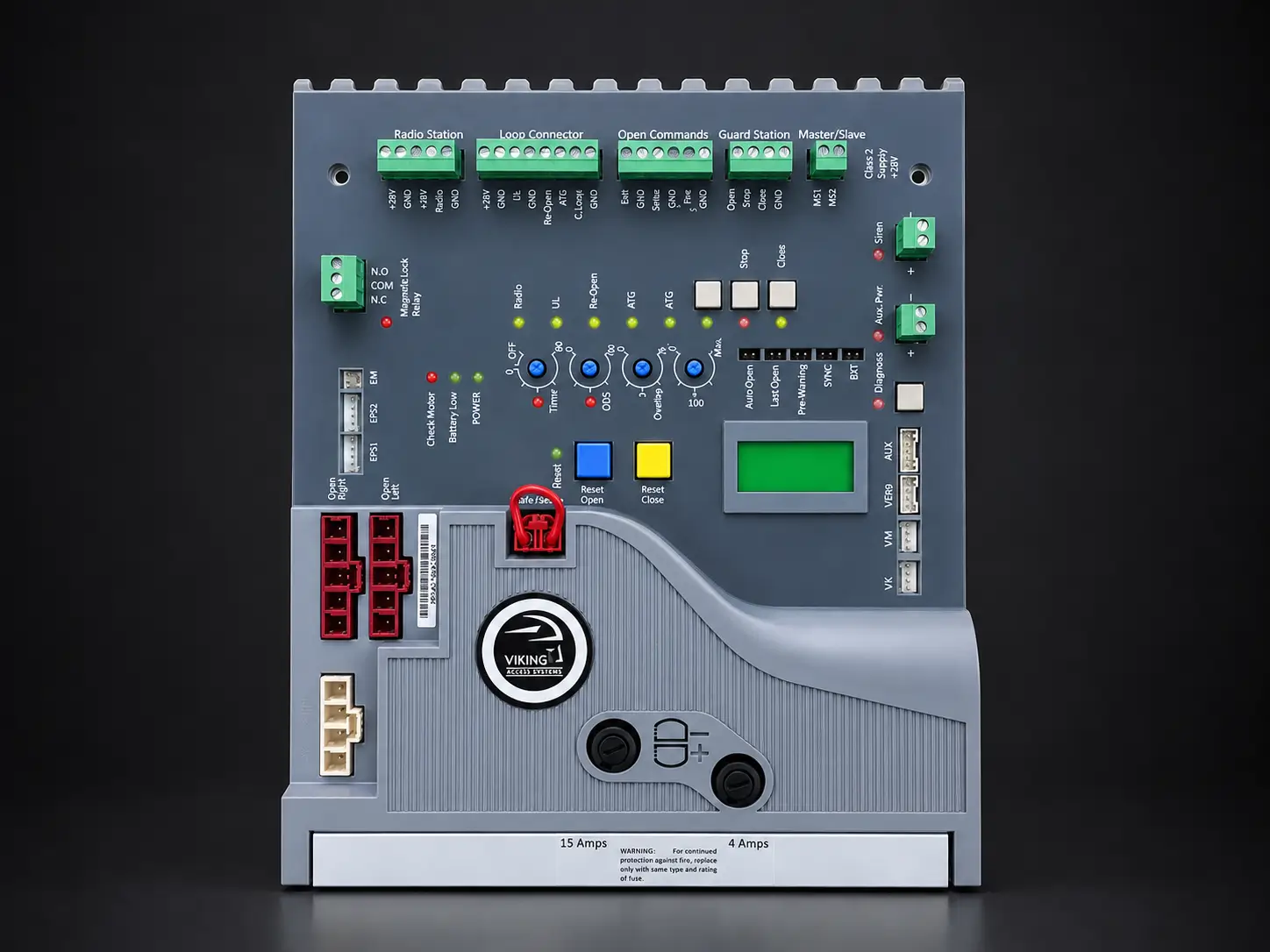
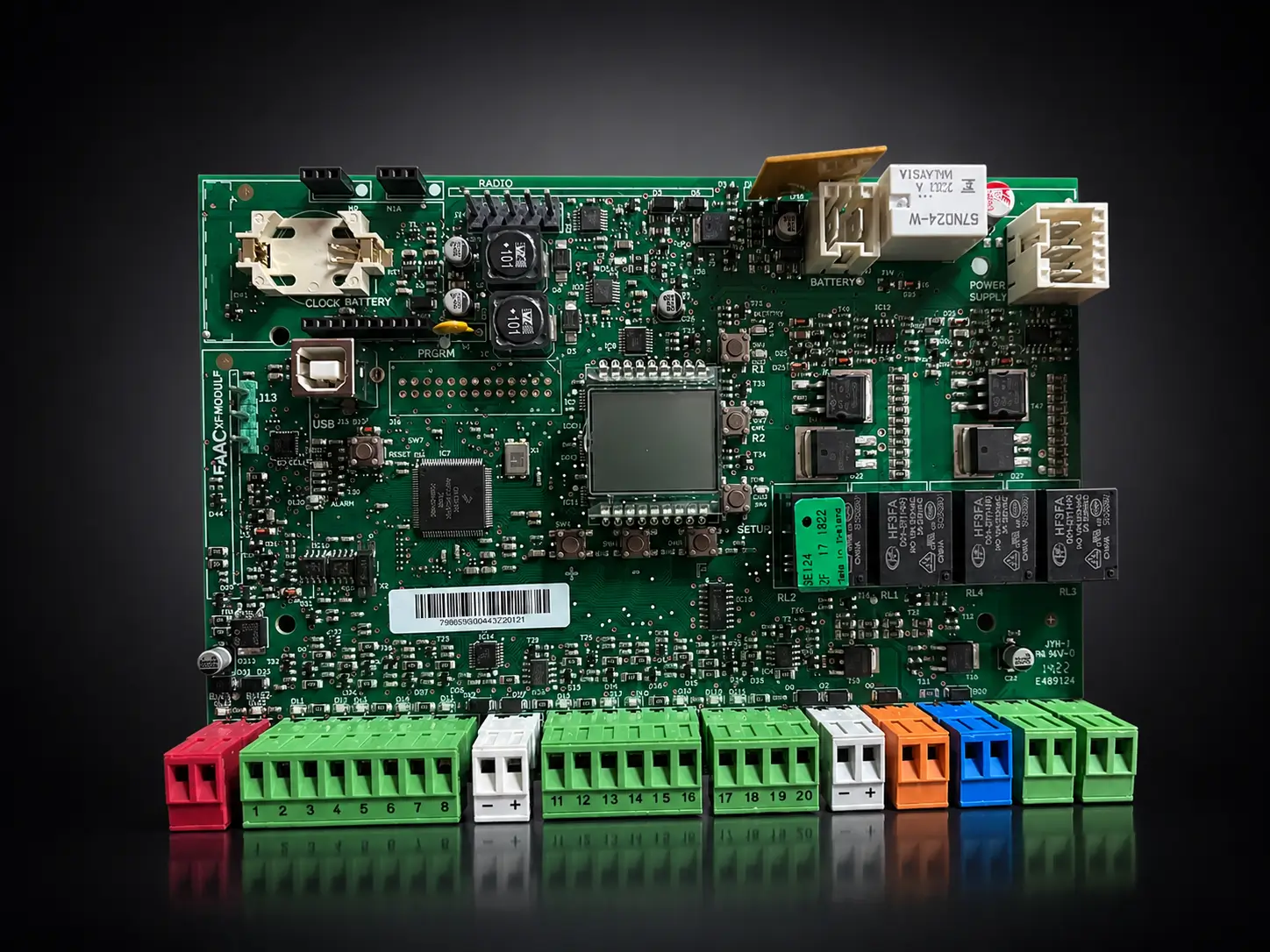
Viking, FAAC and Elite Use Displays, Not Beeps
These operators report faults on an LCD, a numbered display or board LEDs, so each one has its own guide. In addition, the gate won't open or close guide walks through symptoms for any brand.

Still Beeping? Get a Technician Out
Automatic Gate Masters & Garage Doors repairs gate openers in Santa Clara, San Mateo, San Francisco, Alameda, Contra Costa and Marin counties. Because we are an independent licensed contractor, we work on Mighty Mule, LiftMaster, Ghost, USAutomatic, Linear, Viking, FAAC, Elite and most other brands. See our Bay Area gate repair page for how we diagnose.
Call and tell us the brand, the model and the beep pattern, or send the form.
(650) 560-4646Tell us what your gate is doing. Bay Area addresses only, and we will call you to schedule.
Gate Opener Beep Code FAQ
Why is my gate opener beeping?
What do 5 beeps mean on a Mighty Mule gate opener?
What does it mean when my gate beeps 3 times?
Why is my gate beeping and not opening?
How do I stop my gate from beeping?
Does a beeping gate always mean the battery is low?
Can I reset a gate opener beep code myself?
Sources
Specifically, every pattern on this page was checked against these manufacturer documents in October 2026. Boards change between production runs, so when your manual disagrees with this page, follow the manual.
- Mighty Mule manuals directory, including discontinued models (Nice North America)
- LiftMaster PAS002, Troubleshooting Guide for 2016 UL 325 Compliant Gate Operators
- Mighty Mule MM271 installation manual, 10021847 Rev-F
- Ghost Controls TDS2 / TDS2XP manual, troubleshooting chart dated 2021-09
- Mighty Mule MM371W / MM372W installation manual, 10022114 Rev-K
- LiftMaster LA500UL installation manual, Operator Alarm and Diagnostic Codes sections
- Mighty Mule MM571W / MM572W installation manual, 10022116 Rev-J
- USAutomatic Patriot manual, Part 720004 (2025 Rev. A)
- LiftMaster LA400 installation manual, 01-19244E
- Linear SWR / SWC / SWD installation guide (APeX controller), 227965 X28
- Ghost Controls quick troubleshooting
- ALEKO AC1400 sliding gate operator manual
- Apollo 1050 control board manual, Apollo Gate Openers
Related: automatic gate openers, sliding gate opener buyer guide, gate maintenance and all service areas.
Gate still beeping? In that case, a licensed technician can test the board, the battery and the safety devices on site.
Call (650) 560-4646